The missing half of the acquisition story
Nexly has always shown that organic search brought people in. What it could not show is what those people were looking for. That answer lives in Google Search Console, in a separate tab, with its own date picker and no idea what happened after the click.
You can now connect Search Console to a property and bring that data into Nexly. A new Search section shows clicks, impressions, click-through rate and average position over time, followed by the queries people typed into Google and the pages those searches landed on.
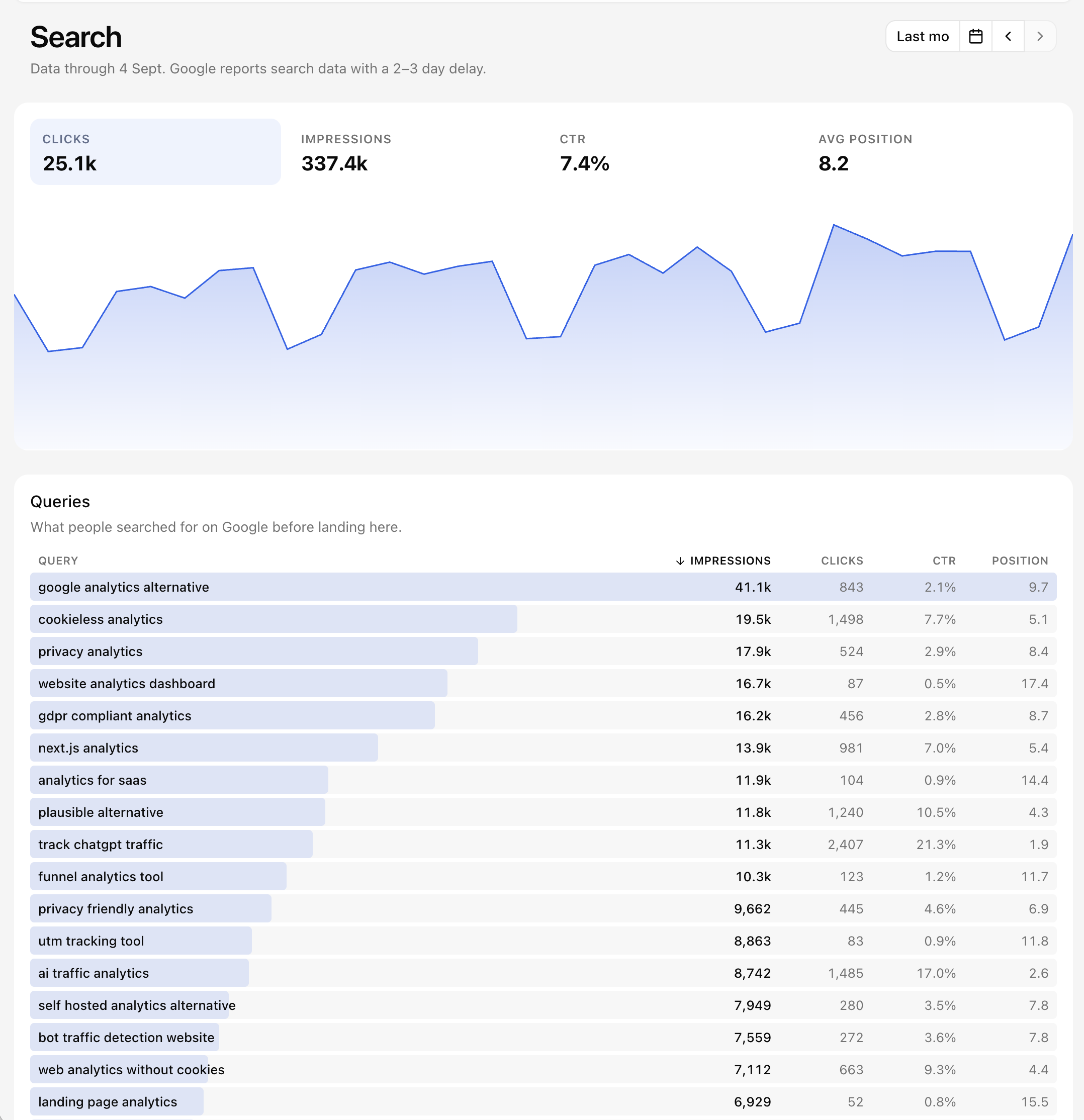 Clicks, impressions, CTR and position for the selected period, with the top queries underneath.
Search performance next to real behaviour
The landing pages list is where the two sources meet. Each page carries its Search Console numbers alongside the visitors and entries Nexly recorded for the same path in the same period. A page with many impressions, few clicks and a low position is a ranking problem. A page with plenty of clicks and almost no entries points at something else, such as a redirect or a slow load, that Search Console alone would never reveal.
The Overview joins in too. The Acquisition widget gains a Search tab with the top queries for the dashboard range, and View all opens the full section.
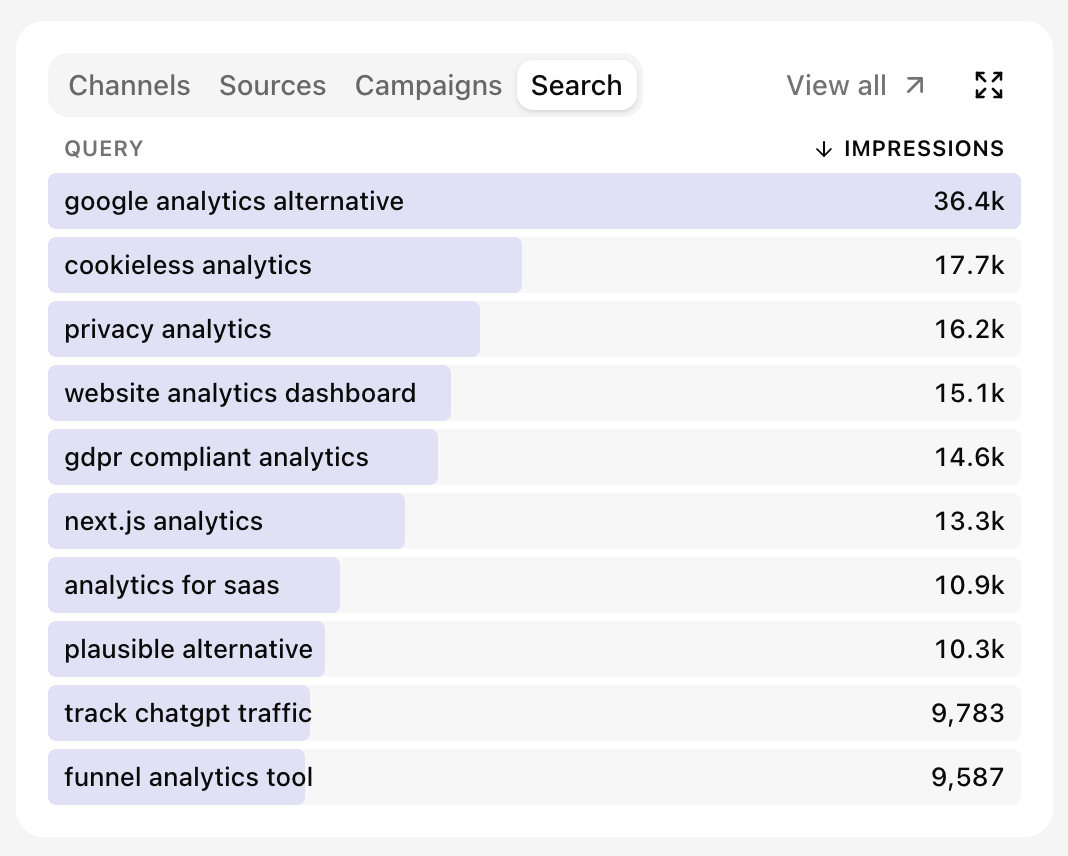 The Search tab sits next to Channels, Sources and Campaigns on the Overview.
Insights reads the same data, so you can ask which queries gained impressions last month or which pages rank well but rarely get clicked, and get an answer grounded in your own numbers.
Connected once, kept current
Connecting takes a Google sign-in and a site pick in Settings → Search Console. Nexly asks for read-only access to Search Console and imports up to sixteen months of history, then checks for new days every hour. Google publishes search data with a delay of two to three days, and the section always tells you the newest day it covers so the picture is never misleading.
The Search Console guide covers roles, site selection, data freshness and how the Search section reads dates. If you are new to the Acquisition widget, Dashboard widgets explains the channels and sources it already tracked.