Skills
Skills are saved prompt templates you can run with one click instead of typing the same analytics question over again. Nexly starts every account with a built-in set, and you can add your own.
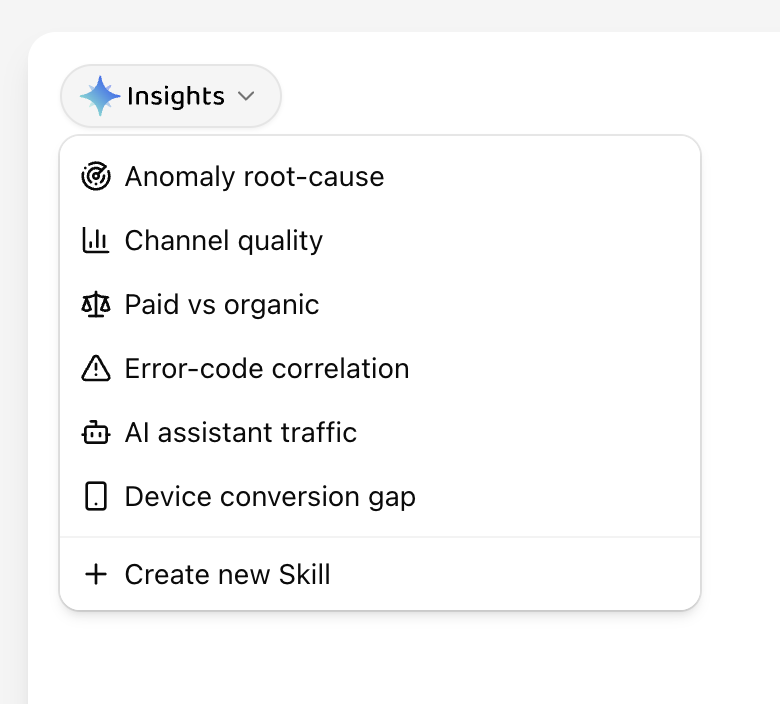
Open the Skills menu
Select the Insights pill in the top-left corner of the assistant to open the Skills menu. It lists every Skill available on your account, each with its icon and name.
Run a Skill
Choose a Skill to send its prompt right away — there is nothing to edit or confirm first.
- If the current chat is empty, the Skill runs in that chat.
- If the current chat already has messages, running a Skill starts a new chat and sends the prompt immediately, so a quick action never gets mixed into an unrelated investigation.
The same Skills also appear as suggestion buttons when you open Insights with an empty chat.
Built-in Skills
Every account starts with a small set of ready-made Skills covering common analytics questions, such as investigating traffic anomalies, comparing channel quality, comparing paid and organic traffic, correlating error codes, measuring AI assistant traffic, comparing conversion across devices, and suggesting funnel configurations.
Built-in Skills work exactly like ones you create yourself — you can delete any of them if you do not use them.
Create a Skill
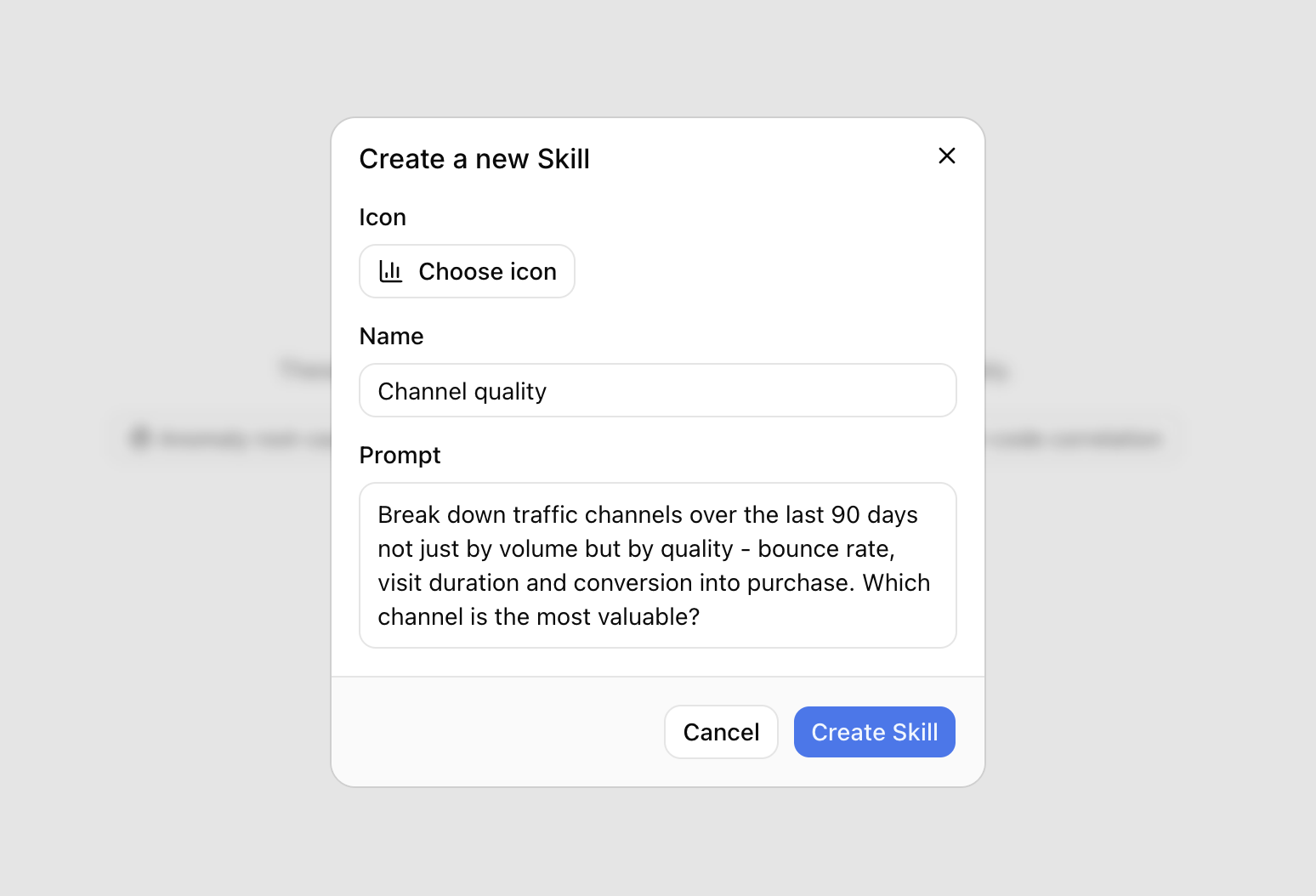
Open the Skills menu and choose Create new Skill at the bottom of the list. In the dialog:
- Pick an icon from the icon picker.
- Give the Skill a short, descriptive name.
- Write the prompt exactly as you would type it to the assistant.
Save the Skill to add it to the menu and the empty-chat suggestions right away.
Good Skills are specific and reusable, such as "Compare this week's signups by channel" rather than a one-off question tied to a single date.
Edit or delete a Skill
Hover a Skill in the menu to reveal edit and delete icons next to it. Editing opens the same dialog as creating, with the icon, name, and prompt prefilled.
Deleting removes the Skill immediately and shows a brief confirmation with an Undo action — select Undo before it disappears to bring the Skill back.
Skills are personal to your account. Deleting one does not affect any chats you already ran with it.
Availability
Skills may not be available on every plan or account yet.