Ingest usage
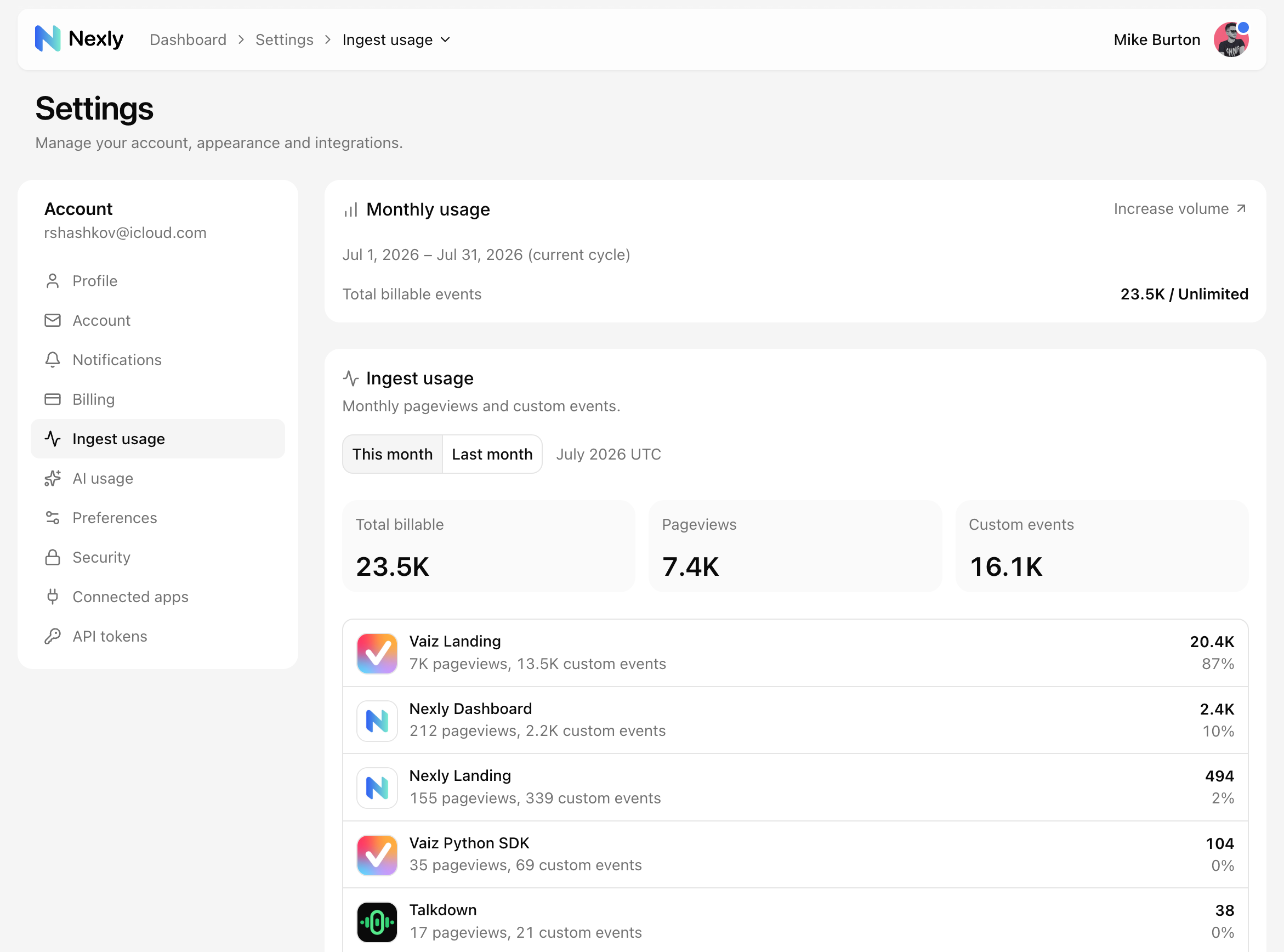
Ingest usage shows how much billable analytics traffic your account or property has collected. Open Account settings → Ingest usage to see two views: the Monthly usage card follows your plan's usage period, and the per-property breakdown below shows UTC calendar months (This month / Last month) with pageviews and custom events per property.
What counts as usage
Billable usage focuses on meaningful analytics volume, especially:
- Pageviews and mobile screenviews.
- Approved custom events.
Technical events that keep sessions and engagement tracking working do not count against your allowance.
Usage windows
Monthly paid plans follow the active billing period. Annual plans meter usage in monthly windows inside the subscription year. Free plans follow the product's standard monthly usage window.
The usage meter resets when the next period begins. The per-property breakdown always uses UTC calendar months, so its totals can differ slightly from the plan meter when your billing period does not start on the first of the month.
Account usage vs property usage
The Ingest usage page combines billable events across every property you can access, including properties shared with you. Your plan allowance is metered against the properties you own.
Property-level usage helps you identify which property contributes most to the total.
Over allowance
If usage exceeds the allowance, Nexly gives you a grace period before the limit takes effect.
Once it does, your sites and apps keep working normally, but events over the allowance are no longer stored.
Reducing usage
To reduce future usage:
- Block unwanted internal traffic with IP or CIDR filters.
- Block irrelevant countries if they are known noise.
- Exclude private or admin paths with page or screen filters.
- Pause ingestion temporarily during migrations or incidents.
- Review custom events and keep only meaningful product actions active.