Danger zone
The Danger zone in Property settings → Danger zone collects actions that stop data collection, break running integrations, or remove the property entirely. They are grouped on one page so they are never triggered from a routine settings flow.
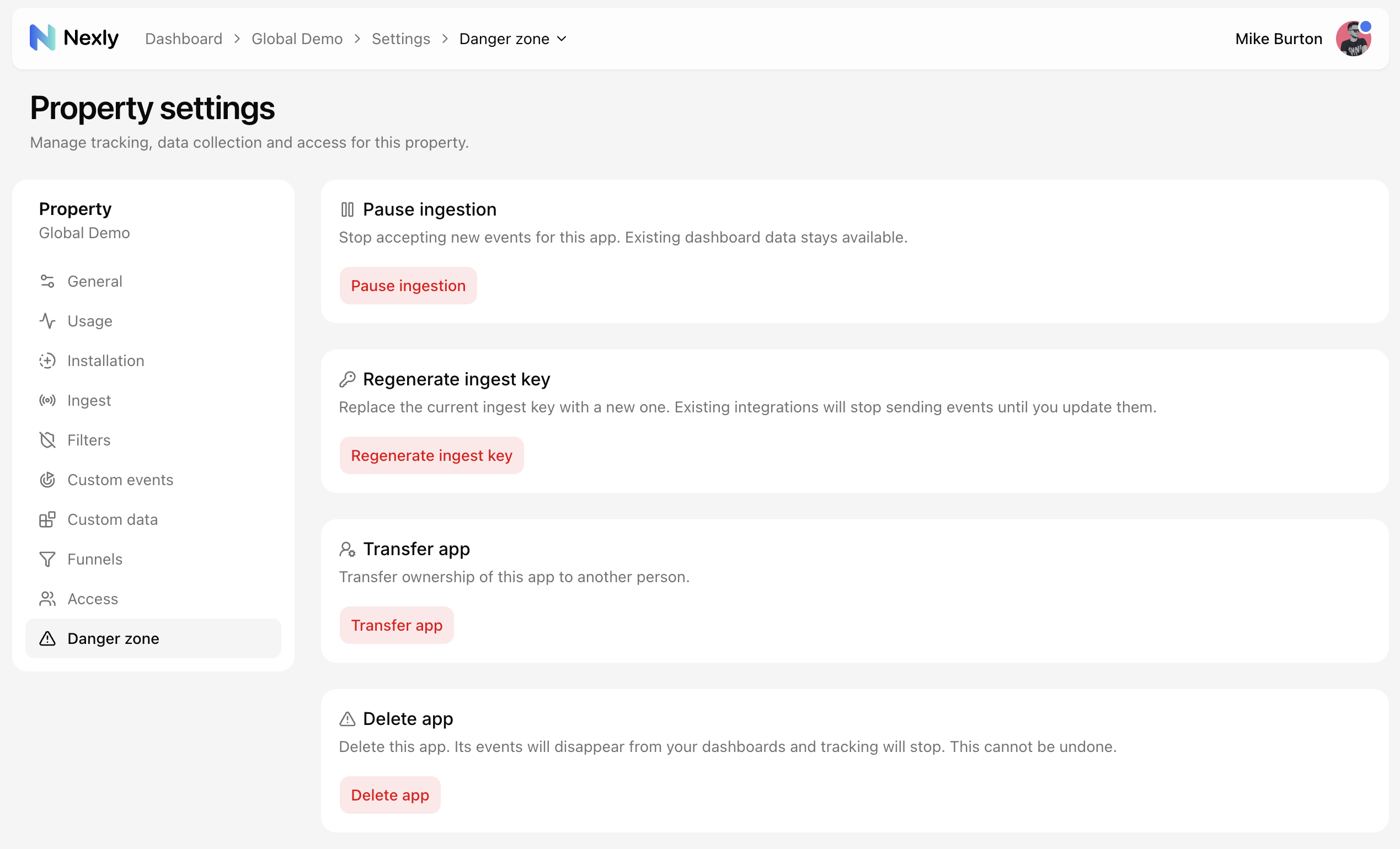
Each destructive action asks you to retype the property name before the confirmation button activates. This is intentional friction: none of these operations can be undone with a single click, and one of them cannot be undone at all. Canceling a pending transfer is the one exception — it is a safe action and needs only a click.
Pause ingestion, key regeneration, and deletion are available to admins and owners. Transferring the property is reserved for the owner — see team roles for how the tiers differ.
Pause ingestion
Stops storing new events for the property while keeping all existing dashboard data available. Your sites and apps keep working normally, but events sent while paused are discarded and are not backfilled after you resume.
Pausing is useful during migrations, accidental traffic spikes, or investigations. See Ingest settings for how the pause state interacts with collection.
Regenerate ingest key
Replaces the current ingest key with a new one. Every SDK and integration using the old key stops sending events immediately, so plan to update your applications right after rotating.
Rotate the key whenever it has been exposed somewhere it should not be. More detail in Ingest settings.
Transfer app
The owner can hand the property to another person. The recipient gets an email with an acceptance link; ownership changes only after they accept, and the transfer can be canceled until then. Once accepted, the previous owner loses access to the property.
The full flow is described in Transferring ownership.
Delete app
Removes the property permanently. All collected events disappear from your dashboards and tracking stops. This cannot be undone — there is no recovery window, so export anything you need before deleting.